How to Host your web page on the Google
 |
| How to Host web page on Google for free |
Since Google is the number one search engine , so most of us depend on the Google even we have to search silly things on it, Google have gained the faith from all the Millions of Internet User,day by day Google is updating itself by adding useful applications in it, One of the most important application developed by Google is Google Drive. It Provide free Storage space of about 5 GB for gmail users to upload and keep there useful file safe on the internet.
When you create your HTML/CSS/JavaScript files you need to purchase hosting space to host it on the server..But now if you want to test your file you can easily host your file on the Google drive.Follow the simple below steps and upload your webpage on the Google.
Step 1:-
Login to the
Google Drive ( if you don't have g mail account, Create a new account first)
Step 2:-
Create a new folder of your name ( Ex. cyberaditya)
 |
| create a new folder of your name |
Step 3:-
upload your .html file on the folder
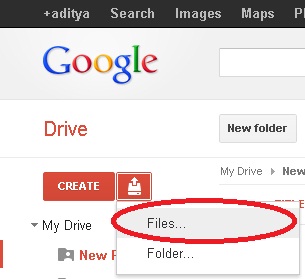 |
| Select files and upload it |
 |
| search your file and click Open |
Step 4:-
Select preview button
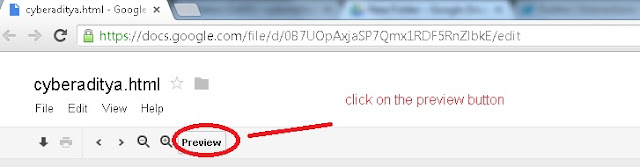 |
| Select preview button |
Step 5:-
Congrats ! your file is hosted successfully.
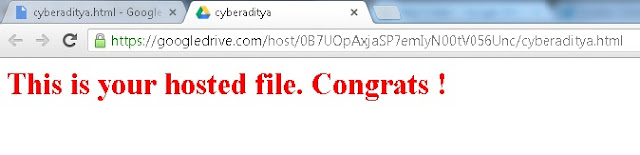 |
| your hosted file |
Thanks for Visiting.